POS Loyalty Program: Shopify Guide to In-Store Rewards
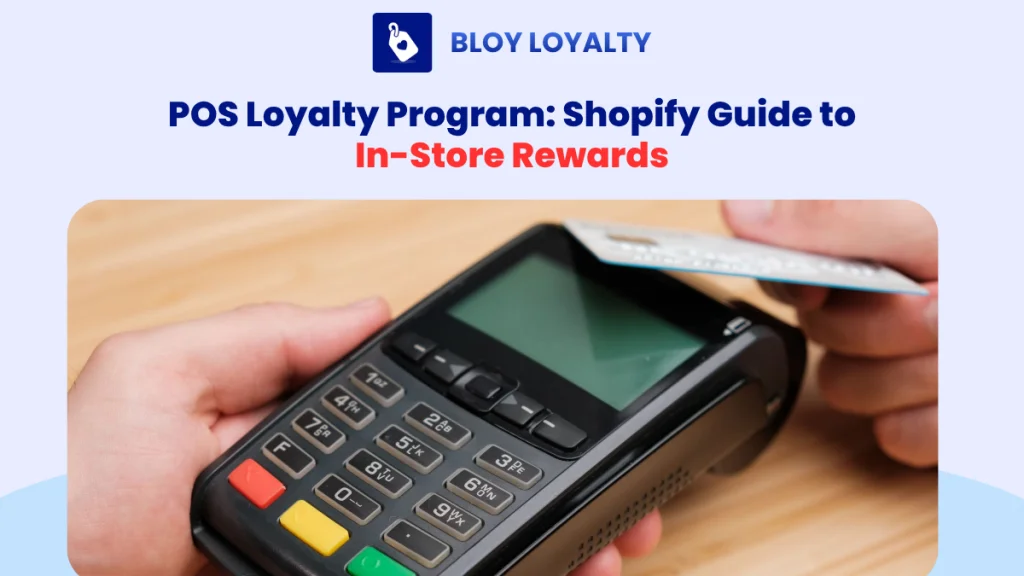
If you run both an online Shopify store and a physical location, you have probably noticed the loyalty gap. Customers walk in, buy something, and leave without being recognized. Their purchase goes untracked, their points are never issued, and your staff has no idea whether they have shopped with you before. A well-built POS loyalty program fixes this by connecting in-store purchases to the same loyalty profile your online customers use, turning every transaction at the register into a retention signal you can actually act on. This guide walks through how POS loyalty works on Shopify, what features matter most, the mistakes merchants make, and how to set it up so that every in-store purchase feeds into a repeat purchase cycle.
What Is a POS Loyalty Program?
A POS loyalty program is a customer rewards system integrated directly with your point-of-sale system. It allows in-store shoppers to earn and redeem rewards during checkout, with all activity synced back to their loyalty profile across channels.
For Shopify merchants, this means three things in practice:
First, when a customer completes a purchase at your physical store, that transaction updates their loyalty account with the correct points or reward credit, the same profile that tracks their online orders. Second, points, rewards, and VIP tier status are consistent whether the customer shops in-store or online. There is no separate “in-store balance” and “online balance” that can cause confusion or erode trust. Third, your staff can look up a customer at the register, see their current points balance, active rewards, and tier status, and help them redeem or earn on the spot without switching between tools.
As Shopify notes, when a customer makes a purchase at your POS, the system automatically updates their profile with points or rewards earned, giving you a unified customer view regardless of where the transaction happened.
Why Shopify Merchants Need a POS Loyalty Program
The pressure to build a connected loyalty experience is real. Customer acquisition costs have risen significantly over the past several years, making retention not just a nice-to-have but the primary lever for sustainable growth. In-store traffic, pop-up events, and physical retail are valuable but often disconnected from the data layer that powers online retention. Here is where that disconnect shows up most clearly.
In-store customers are often invisible after checkout
Many customers who buy at a pop-up or physical location never create an account on your online store. If your staff does not capture their email or link them to a customer profile at the time of purchase, that person becomes invisible to your marketing stack. You cannot retarget them, you cannot send a follow-up with their points balance, and you have no way to know whether they ever come back. Without a POS loyalty program anchored to customer identification, a meaningful portion of your in-store revenue leaves no data behind.
Online and offline rewards must feel like one program
Customers do not think in channels. They do not care whether they bought online last Tuesday or in-store on Saturday. What they notice is whether their rewards were recognized. If a customer earns points online but cannot use them in-store, or earns points in-store and never hears about them again, trust in the program erodes quickly. A cross-channel loyalty experience is not just a convenience; it is the baseline expectation for modern shoppers.
Store staff need loyalty data at the register
If your staff has to open a separate browser tab, ask the customer to pull up an app, or manually calculate points at checkout, the loyalty program is slowing down the transaction rather than adding value to it. Shopify POS supports UI extensions that allow loyalty apps to display customer data, points balances, and redemption options directly in the POS interface, removing friction from the in-store loyalty moment.
How a Shopify POS Loyalty Program Works
The mechanics of a well-built POS loyalty program follow a simple flow:
Customer identified at POS > Purchase completed > Points earned > Reward made visible > Repeat purchase triggered
Each step matters. Skipping any of them is where most in-store loyalty setups break down.
Step 1: Identify the customer at POS
This is the most important step in the entire flow. If your staff does not link the transaction to a customer profile, no loyalty data is recorded. Identification typically happens by searching for the customer’s email address or phone number in Shopify POS. If the customer does not have a profile yet, staff can create one on the spot, which also enrolls them in the loyalty program if your settings allow it.
Step 2: Sync the in-store purchase with the loyalty profile
Once the order is complete, the purchase value is recorded against the customer’s profile and points are issued according to your earning rules. This sync needs to happen in real time. A delay between purchase and points posting creates confusion and erodes confidence in the program, particularly if the customer asks about their balance immediately after checkout.
Step 3: Let customers earn and redeem rewards across channels
Customers should be able to use rewards they earned online when they visit in-store, and vice versa. This requires your loyalty app to support cross-channel redemption and to prevent double-spend, where the same reward is applied to two transactions. Real-time sync between Shopify POS and your loyalty system is what makes this work without manual reconciliation.
Step 4: Use POS behavior for retention campaigns
In-store purchases are a trigger, not an endpoint. A customer who buys at your pop-up and is tagged as an “offline buyer” can receive an email the following day showing their points balance and a reason to return to your online store. That follow-up loop is where a POS loyalty program generates actual retention value, not just at the moment of checkout but in the days and weeks after.
Must-Have Features in a POS Loyalty Program
Not all loyalty apps handle POS the same way. When evaluating options for your Shopify store, these are the features that determine whether your in-store loyalty experience actually works.
| Feature | Why it matters for Shopify merchants |
| Customer identification at POS | Staff must be able to find and link a customer profile quickly, by email or phone, before checkout closes |
| Real-time points sync | Any lag between in-store purchase and points posting breaks trust and creates support tickets |
| In-store redemption | Customers should be able to use rewards at the register without manual workarounds |
| VIP tier sync | In-store spend must count toward tier thresholds alongside online spend |
| Staff-friendly POS tile | A clean POS extension tile reduces training time and checkout friction |
| Analytics by channel | You need to know your POS enrollment rate, redemption rate, and whether in-store purchases lead to online repeat purchases |
| Custom reward rules | Different stores have different needs; flexible earning and redemption rules allow you to match your program to your product and margin structure |
Shopify supports POS UI extensions that allow loyalty apps to surface this information directly in the Smart Grid and on customer detail screens, without requiring staff to leave the POS interface.
Common Mistakes When Setting Up a POS Loyalty Program
The implementation details that most guides skip over are often where in-store loyalty programs quietly fail. Here are the four mistakes that consistently undermine POS loyalty for Shopify merchants.
Treating POS loyalty like a punch card
The most common mistake is using in-store loyalty purely as a transactional reward: customer buys, customer gets points, nothing else happens. The more valuable use of POS loyalty is the data it generates. Every identified in-store customer becomes a marketable contact, purchase becomes a behavioral signal and every redemption tells you something about what rewards are driving action. If your POS loyalty setup is not feeding into your retention marketing stack, you are leaving most of the value on the table.
Not training staff to explain rewards
A loyalty program that your staff cannot explain does not exist in the customer’s mind. If an employee completes a checkout without mentioning that the customer earned points, or without asking whether they want to redeem an available reward, the program becomes invisible. Simple, repeatable scripts make a significant difference. Something like “You earned 120 points on this purchase, you can use them here next time or on our website” takes five seconds and closes the loop for the customer.
Making rewards different across channels
If your online store offers a discount at 500 points but your in-store setup redeems at a different rate, or only allows certain reward types at the register, customers will notice. Inconsistent reward structures are one of the fastest ways to damage program credibility. Your loyalty rules should be channel-agnostic from the start.
Ignoring POS-specific metrics
Most merchants measure total points issued and total redemptions. Those numbers tell you very little about whether in-store loyalty is actually working. The metrics that matter are: POS enrollment rate (what percentage of in-store transactions are linked to a customer profile), POS redemption rate (what percentage of eligible rewards are used in-store), repeat purchase rate after first in-store visit, and average order value by loyalty member versus non-member. Without these, you cannot tell whether your in-store loyalty investment is generating returns.
Best POS Loyalty Program Ideas for Shopify Stores
These ideas are designed for merchants who want their in-store loyalty program to do more than issue points at checkout.
In-store signup bonus
Offer a points bonus specifically for customers who enroll in your loyalty program at the register. This creates an immediate reason for staff to bring it up and gives customers a tangible first reward that makes the program feel worthwhile from the start. A signup bonus also ensures that in-store transactions begin building a database of opted-in contacts.
Pop-up event bonus points
If you run pop-up events or seasonal retail activations, use them as loyalty multiplier moments. Customers who purchase at the event earn bonus points, which then pull them back to your online store to redeem. This turns a one-time event into an acquisition mechanism for your online retention loop.
VIP tier progression from in-store spend
Make sure that every dollar spent in-store counts toward your VIP tier thresholds alongside online purchases. Customers who shop both channels should advance through tiers faster, which gives multi-channel shoppers a concrete reason to stay engaged with your brand both online and offline. For a deeper look at how to design tier structures that motivate this behavior, see BLOY’s guide on membership tiers for Shopify.
Birthday and anniversary rewards at POS
When a customer’s profile includes a birthday or account anniversary date, staff can acknowledge it at checkout and apply the associated reward automatically. This requires your loyalty app to surface this information in the POS interface, but the impact on customer experience is outsized relative to the complexity involved.
Online follow-up after in-store purchase
One of the highest-value POS loyalty tactics is the post-purchase email triggered by an in-store transaction. A message sent within 24 hours showing the customer their updated points balance, their progress toward the next reward, and a reason to return to your online store closes the loop between channels and drives a repeat purchase that would otherwise not happen.
How to Set Up a POS Loyalty Program on Shopify
Getting from zero to a functional in-store loyalty experience on Shopify involves five concrete steps. The sequence matters: setup choices made early, particularly around earning rules and staff configuration, determine how much friction the program creates later.
Step 1: Choose a Shopify-compatible loyalty app
Not every loyalty app that works on Shopify also supports POS. You need an app that handles points, rewards, and VIP tiers while also offering a POS extension that brings loyalty functionality into the Shopify POS interface. Confirm that the app supports real-time sync between in-store and online purchases before committing.
Step 2: Add the loyalty tile to Shopify POS Smart Grid
Shopify allows merchants to add app extensions to the Smart Grid, the configurable home screen of Shopify POS, as well as to surfaces like the customer detail screen and the post-purchase screen. Adding the loyalty tile to these surfaces makes it easy for staff to pull up loyalty data without interrupting checkout flow.
Step 3: Define earning and redemption rules
Keep the earning structure simple enough that staff can explain it in one sentence. A common starting point is $1 spent equals 1 point, with 100 points unlocking a fixed-dollar reward. Make sure in-store purchases count toward VIP tier thresholds at the same rate as online purchases. For a broader framework on how to design earning and redemption rules that change behavior rather than just issuing points, see BLOY’s guide on loyalty program objectives.
Step 4: Train staff with simple scripts
Your program is only as strong as the weakest checkout interaction. Equip staff with two or three standard phrases they can use at every transaction: one for enrolling new customers, one for informing existing members of their balance, and one for prompting redemption when a reward is available. Keep it brief and repeatable.
Step 5: Track and optimize
Once the program is live, track POS enrollment rate, POS redemption rate, and repeat purchase rate from in-store buyers. Compare average order value between loyalty members and non-members. These numbers tell you whether the program is actually changing behavior or just generating data you are not using. For a structured approach to measuring loyalty ROI, BLOY’s guide on loyalty program business models covers the financial framework in detail.
Why BLOY Fits Shopify POS Loyalty
BLOY is built specifically for Shopify merchants who want to run a single, connected loyalty program across their online store and physical locations. Rather than managing separate systems for online and in-store loyalty, BLOY keeps points balances, reward eligibility, and VIP tier status in sync across both channels in real time.
For merchants running Shopify POS, BLOY surfaces the customer’s loyalty profile directly in the POS interface, so staff can see available rewards and current points without leaving the checkout screen. Earning rules apply consistently whether the order originates online or at the register, and in-store spend counts toward the same VIP tier thresholds that online purchases do.
The setup process is designed to reduce guesswork: merchants can configure reward rules, tier structures, and earning rates without coding, and the program goes live without requiring a separate implementation project. Analytics track enrollment, redemption, and repeat purchase behavior by channel. So you can see whether your in-store loyalty investment is generating returns rather than just issuing points.
For merchants who want to go deeper on program design before setup, BLOY’s blog covers the full range of loyalty mechanics relevant to Shopify:
- Points-based loyalty programs for Shopify
- Tiered loyalty programs for Shopify
- How to set up a loyalty program on Shopify
- Loyalty program app comparison for small businesses
Start building a connected POS loyalty program with BLOY and turn every in-store purchase into a repeat purchase opportunity.

Yến Lê Hải
Content author at BLOY, focusing on product-led content, SEO, and educational resources to help merchants improve conversion and customer engagement.